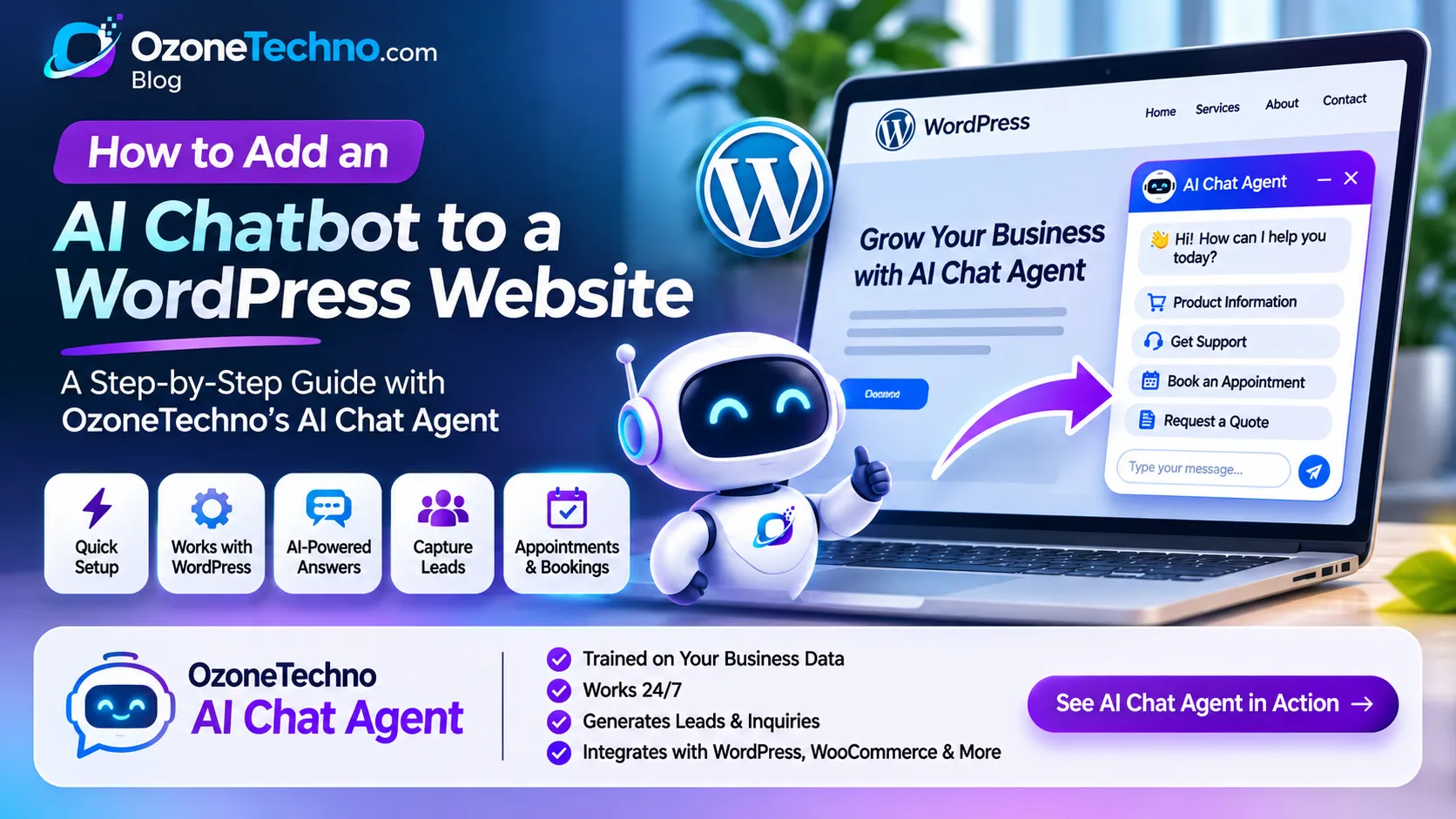
How to Add an AI Chatbot to a WordPress Website (Step-by-Step Guide)
Imagine a potential customer visiting your WordPress website at midnight. They want to know your product prices, ask about your services, check delivery information, or book an appointment. But nobody is available to answer their questions.
What happens next? They may leave your website and contact a competitor instead.
An AI chatbot can help solve this problem by providing automated customer support, answering frequently asked questions, collecting leads, and helping visitors find the information they need, even when your business is closed.
Unlike traditional chat widgets that depend on predefined buttons and basic responses, modern AI chatbots can understand natural language and answer questions using information about your actual business.
In this guide, we'll explain how to add an AI chatbot to a WordPress website, what information you should prepare, how to connect the chatbot, and how to make it useful for your customers.
We'll also introduce OzoneTechno AI Chat Agent (OzoneAI Converse), a business-focused AI chatbot solution that can be trained using your website content, documents, product catalogs, and FAQs.
What Is an AI Chatbot for WordPress?
An AI chatbot for WordPress is an automated conversational assistant that appears on your website and allows visitors to communicate with your business through a chat interface.
Visitors can type questions in their own words, and the AI chatbot generates relevant responses based on its available knowledge.
For example, a customer visiting an eCommerce website might ask:
What products do you offer?
How much does your product cost?
Do you deliver to Karachi?
What payment methods do you accept?
How can I book an appointment?
Can I speak with a human representative?
Instead of searching through multiple website pages, visitors can ask questions directly through the chatbot.
A properly configured AI chatbot can also perform additional tasks, such as collecting customer details, qualifying sales leads, directing visitors to relevant pages, and connecting customers with human support.
Why Should You Add an AI Chatbot to Your WordPress Website?
Adding an AI chatbot is not just about displaying a chat icon. It can become an important part of your customer communication and sales process.
Here are some practical benefits.
1. Provide 24/7 Customer Support
Your website can receive visitors at any time, including outside normal business hours.
An AI chatbot can answer common questions without requiring a support representative to be available for every conversation.
It can help visitors understand your services, find product information, and get answers to frequently asked questions.
2. Generate More Business Leads
Traditional contact forms require visitors to fill out several fields before submitting their information.
An AI chatbot can collect information through a natural conversation.
For example:
Visitor: I'm interested in your website development service.
AI Chat Agent: Great! Are you looking for a business website or an eCommerce store?
Visitor: An eCommerce store.
AI Chat Agent: Perfect. Could you share your estimated budget and contact number so our team can discuss your requirements?
This conversational approach can make lead collection more convenient for potential customers.
3. Answer Questions Using Your Business Information
A general AI chatbot may not know your company's services, pricing, policies, or product details.
A business-trained AI chatbot can use your approved business information to provide more relevant answers.
Depending on the solution, its knowledge can include:
Website pages and URLs
PDF documents and brochures
Product catalogs
Pricing information
Frequently asked questions
Service descriptions
Business policies
Internal support documentation
This makes the chatbot more useful than a basic automated greeting widget.
4. Reduce Repetitive Support Work
Many businesses receive the same questions repeatedly.
For example:
What are your business hours?
How much does your service cost?
Where are you located?
How long does delivery take?
How can I contact your team?
An AI chatbot can handle many routine questions automatically, allowing your staff to concentrate on more complex customer requests.
5. Support Customers in Multiple Languages
Businesses serving international customers may receive inquiries in different languages.
OzoneTechno AI Chat Agent supports multilingual conversations, including English, Urdu, Roman Urdu, and Arabic, alongside 50+ languages according to its service specifications.
This is particularly useful for businesses serving customers in Pakistan, the UAE, the UK, the USA, and other international markets.
6. Connect Website Chat with Other Communication Channels
Your customers may prefer WhatsApp or social media rather than website chat.
A suitable omnichannel AI solution can connect conversations across multiple channels.
OzoneTechno AI Chat Agent supports deployment across:
Website chat widget
WhatsApp Business API
Facebook Messenger
Instagram Direct Messages
This allows businesses to manage customer communication through a connected AI assistant rather than relying entirely on separate manual conversations.
How to Add an AI Chatbot to a WordPress Website
There are different ways to add a chatbot to WordPress.
You can install a compatible chatbot plugin, integrate an external chatbot service, or embed a custom AI chat agent using a JavaScript code snippet.
For businesses that want a chatbot trained on their own business information, an integrated AI service can be a more suitable option than a basic chatbot plugin.
Let's go through the process using OzoneTechno AI Chat Agent.
Step 1: Choose an AI Chatbot Solution
Before adding a chatbot to WordPress, decide what you want it to accomplish.
For example, your business might need an AI chatbot to:
Answer customer questions
Explain products and services
Generate sales leads
Provide customer support
Collect inquiries
Book appointments
Connect visitors with human representatives
Choosing your objectives first helps determine how the chatbot should be configured.
OzoneTechno offers a business-focused solution called OzoneAI Converse, designed to provide automated sales and customer support using your business information.
You can explore the solution here:
https://new2.ozonetechno.com/ai-chat-agent
Step 2: Train the AI Chatbot with Your Business Information
This is one of the most important steps.
A chatbot becomes more useful when it understands your business rather than relying only on general knowledge.
With OzoneTechno AI Chat Agent, you can provide information from sources such as:
Website URLs
The AI agent can learn from your existing website pages, including your services, product information, FAQs, and business details.
PDF Documents
Upload business brochures, product catalogs, pricing sheets, and other relevant documents.
Word Documents
Provide service descriptions, policies, procedures, and internal documentation.
FAQs and Knowledge Documents
Add common customer questions and their approved answers to help the chatbot respond consistently.
For example, if you operate a clothing store, your chatbot knowledge base could contain:
Product names and descriptions
Available sizes and colors
Pricing information
Shipping and delivery policies
Return and exchange policies
Payment methods
Frequently asked questions
Once the information is connected, the AI agent can use the available business knowledge to answer customer inquiries.
Important: Keep your information accurate and updated. If you change product prices, delivery charges, or business policies, update the chatbot's knowledge as well.
Step 3: Configure Your AI Agent's Behavior
Every business communicates differently.
A professional service company may want a formal assistant, while an online clothing store may prefer a friendly shopping assistant.
Configure your AI agent according to your business requirements.
Important settings include:
Brand Voice
Define how the chatbot should communicate with visitors.
Welcome Message
Create an opening message that introduces your business and invites customers to ask questions.
Example:
"Hello! Welcome to our website. I'm your AI assistant. How can I help you today?"
Lead Qualification
Decide what information the chatbot should collect from potential customers.
For example:
Customer name
Phone number
Email address
Required service
Estimated budget
Project requirements
Appointment Booking
Configure appointment booking links or supported booking workflows so interested customers can arrange consultations.
Human Handoff
Set up a process for transferring conversations to a human representative when a visitor needs additional assistance.
OzoneTechno AI Chat Agent includes configurable brand voice, lead qualification, appointment booking links, and human handoff capabilities.
Step 4: Connect the AI Chatbot to Your WordPress Website
Once your AI agent has been configured, the next step is to display it on your WordPress website.
OzoneTechno provides an embeddable integration using a single line of code.
The general installation process is:
Log in to your WordPress dashboard.
Make a backup of your website before changing its code or scripts.
Obtain the website embed code from your OzoneTechno AI Chat Agent setup.
Add the supplied code through a suitable site-wide header or footer script integration.
Save your changes and clear any website or CDN cache if necessary.
Open your website in a private browser window and check whether the chat widget appears.
You can add the integration through a suitable code-management plugin or have your WordPress developer add it to the appropriate theme integration point.
Avoid directly editing your parent theme files because theme updates may overwrite your changes.
Important: Use the exact embed code supplied for your configured AI agent. The installation code is specific to your deployment; don't copy an unrelated chatbot script from another website.
Step 5: Customize the Chat Widget
Your chatbot should look like a natural part of your website.
Depending on the available configuration options, customize its appearance and conversation experience.
Consider the following:
Chat widget position
Brand colors
Chatbot name
Welcome message
Profile icon or avatar
Opening behavior
Mobile appearance
For example, an eCommerce website could display a welcome message such as:
"Hi! Looking for something? Ask me about our products, prices, delivery, or orders."
A professional services website could use:
"Welcome! I can help you explore our services, request a quote, or book a consultation."
A clear welcome message helps visitors understand what the chatbot can do.
Step 6: Test Your AI Chatbot Before Going Live
Never assume that a chatbot is ready simply because its widget appears on your website.
Test it with realistic customer questions.
Here are some examples:
| Test question | Expected behavior |
|---|---|
| What services do you offer? | Explain your available services |
| How much does your service cost? | Provide verified pricing information |
| Where are you located? | Share the correct business location |
| Do you offer online support? | Explain available support channels |
| Can I book an appointment? | Provide the configured booking process |
| Can I speak to a person? | Offer human handoff |
Also test questions that are not covered by your knowledge base.
A reliable AI assistant should acknowledge when it doesn't have enough information rather than inventing an answer.
OzoneTechno uses Retrieval-Augmented Generation (RAG) guardrails to keep responses grounded in approved business information and provide a human handoff when necessary. These safeguards help reduce unsupported answers, although all AI systems should still be tested and monitored.
Step 7: Monitor Conversations and Improve Your Chatbot
After launching your chatbot, monitor how visitors interact with it.
Look for:
Frequently asked questions
Unanswered questions
Potential customer inquiries
Repeated customer problems
Requests for human assistance
Common product and service questions
Use this information to improve your knowledge base and chatbot configuration.
If customers repeatedly ask about delivery charges, for example, make sure the relevant information is available in the knowledge base.
If visitors frequently request quotations, improve your lead qualification questions.
An AI chatbot should be treated as an ongoing business tool, not a one-time website installation.
What Can OzoneTechno AI Chat Agent Do for Your WordPress Website?
OzoneTechno AI Chat Agent, powered by OzoneAI Converse, is designed to help businesses automate customer conversations across their digital channels.
Here are some of its key capabilities.
AI-Powered Business Knowledge
Train your chatbot using website URLs, PDF brochures, Word documents, FAQs, pricing information, and product catalogs.
This allows visitors to ask questions about your actual business instead of receiving generic responses.
Conversational Lead Generation
Collect potential customer information through natural conversations.
Instead of relying exclusively on static contact forms, the AI assistant can ask relevant questions and qualify inquiries before forwarding leads to your team.
WhatsApp and Social Media Integration
Extend your AI assistant beyond your WordPress website.
Connect supported channels such as WhatsApp Business API, Facebook Messenger, and Instagram Direct Messages.
Appointment Booking
Help interested visitors arrange consultations or appointments through configured booking links and supported workflows.
Human Handoff
Not every customer request should be handled automatically.
When a visitor needs a human representative, the AI assistant can alert your staff through the supported dashboard or WhatsApp workflow.
Multilingual Conversations
Serve customers who communicate in different languages, including English, Urdu, Roman Urdu, and Arabic.
Knowledge Synchronization
When your business information changes, update documents, FAQs, or website content and synchronize the AI agent's knowledge through its dashboard.
AI Chatbot vs Traditional WordPress Chat Plugins
Not all chatbot solutions offer the same capabilities.
A traditional live chat widget, a rule-based chatbot, and an AI-powered business assistant serve different purposes.
| Feature | Basic Live Chat | Rule-Based Chatbot | OzoneTechno AI Chat Agent |
|---|---|---|---|
| Automated conversations | Limited | Yes | Yes |
| Natural language understanding | Depends on agent | Limited | Yes |
| Answers from business documents | Usually not built in | Usually limited | Yes |
| Website knowledge training | Not typical | Limited | Yes |
| Conversational lead capture | Depends on setup | Possible | Yes |
| Multilingual support | Agent-dependent | Depends on setup | Yes |
| WhatsApp integration | Depends on service | Depends on service | Supported |
| Human handoff | Yes | Depends on setup | Yes |
| Appointment booking | Depends on integration | Depends on setup | Configurable |
The right solution depends on the size of your business, the volume of customer inquiries, and the level of automation you need.
Which Businesses Should Use an AI Chatbot?
An AI chatbot can be useful for many different types of businesses.
eCommerce Stores
Online stores can use AI chatbots to answer product questions, explain delivery policies, provide product information, and help customers find suitable items.
For example, a customer could ask:
"Do you have this shirt in medium size?"
The chatbot can respond using available product information.
Real Estate Agencies
Real estate companies can use AI assistants to answer property inquiries, explain available services, collect buyer requirements, and arrange property consultations.
Digital Marketing Agencies
Agencies can use chatbots to explain their services, collect project requirements, qualify leads, and schedule discovery calls.
Educational Institutions
Schools and training institutes can use AI assistants to answer questions about courses, admission requirements, fees, and schedules.
Professional Service Companies
Law firms, consulting agencies, accounting businesses, and other service providers can use AI assistants to answer general business inquiries and collect consultation requests.
The chatbot's responses should remain within the information and permissions provided by the business.
How Much Does It Cost to Add an AI Chatbot to WordPress?
The cost of adding an AI chatbot depends on the platform, its capabilities, usage, integrations, and configuration requirements.
A basic chatbot plugin may offer a free plan with limited functionality, while advanced AI solutions may charge according to usage, subscriptions, or deployment requirements.
Before choosing a solution, consider:
Initial setup and configuration
AI usage and message limits
Knowledge base size
Number of websites
WhatsApp and social media integrations
Lead management features
Appointment booking requirements
Human support and maintenance
For a business-focused chatbot, don't evaluate pricing based only on the chat widget. Consider how much time it can save, how it handles customer inquiries, and whether it helps your team capture and manage leads.
To discuss your requirements and explore OzoneTechno AI Chat Agent, visit:
https://new2.ozonetechno.com/ai-chat-agent
Frequently Asked Questions
1. Can I add an AI chatbot to any WordPress website?
Yes, an AI chatbot can generally be integrated into a WordPress website using a compatible plugin, an external service integration, or an embeddable script. The exact method depends on the chatbot provider and your website configuration.
2. Do I need coding knowledge to add an AI chatbot to WordPress?
Not necessarily. Many chatbot services provide an embed code that can be added using a suitable WordPress code-management tool. A developer may be helpful for custom integrations or troubleshooting.
3. Can an AI chatbot answer questions about my products and services?
Yes. A business-trained AI chatbot can use information from your website, product catalogs, PDFs, FAQs, and other approved documents to answer customer questions.
The accuracy of its answers depends on the quality and completeness of the information provided.
4. Can an AI chatbot generate leads for my business?
Yes. A conversational AI chatbot can ask visitors relevant questions, collect contact details, understand their requirements, and forward qualified inquiries to your sales team.
5. Can an AI chatbot work with WooCommerce?
Yes, depending on the chatbot's integration capabilities. An AI assistant can provide product information and answer common store questions. More advanced functions, such as live order lookup or order-related actions, require the appropriate integration and permissions.
6. Can an AI chatbot communicate through WhatsApp?
Yes. OzoneTechno AI Chat Agent supports integration with the Official WhatsApp Business API, as well as website chat, Facebook Messenger, and Instagram Direct Messages.
7. Can an AI chatbot understand Urdu and Roman Urdu?
Yes. OzoneTechno AI Chat Agent supports multilingual communication, including Urdu and Roman Urdu, allowing businesses to serve customers who prefer communicating in these languages.
8. What happens if the AI chatbot cannot answer a question?
A properly configured chatbot should acknowledge that it doesn't have sufficient information instead of inventing an answer. It can also offer to connect the visitor with a human representative.
9. Can I update my chatbot when my business information changes?
Yes. With OzoneTechno AI Chat Agent, you can update your documents, FAQs, and website information and synchronize the knowledge base through the dashboard.
10. Does an AI chatbot replace human customer support?
No. An AI chatbot can handle many routine inquiries and provide assistance around the clock, but human representatives remain important for complex requests, sensitive situations, and personalized support.
Get an AI Chatbot for Your WordPress Website
Your website should do more than display information. It should help visitors find answers, understand your services, and take the next step toward becoming customers.
An AI chatbot can make that experience more interactive by answering questions, capturing leads, supporting appointments, and assisting customers even outside normal business hours.
With OzoneTechno AI Chat Agent (OzoneAI Converse), businesses can create an AI assistant trained on their own website content, business documents, product catalogs, and FAQs.
Whether you operate an online store, professional services company, agency, or corporate website, OzoneTechno can help you introduce AI-powered customer communication into your business.
Want to see how it works?
Explore OzoneTechno AI Chat Agent and request a free prototype trained on your website.
Visit: https://new2.ozonetechno.com/ai-chat-agent
WhatsApp: +92 335 2316163
Let your website answer questions, capture opportunities, and support customers around the clock.

